Icon of program: InfraRedEye

InfraRedEye for Windows

  • Trial version
  • 1.2
    3
  • 1.1K
  • V1.05
Download for Windows

View an ad to download for free

Use a remote controller to control your PC

If you're fed up of sitting glued to your keyboard and mouse and fancy a more relaxing way of using your PC then InfraRedEye could provide the answer.

Top Recommended Alternative

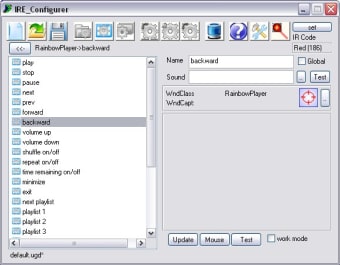
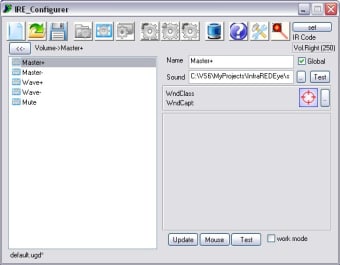
The program lets you control the execution of programs, volume control, mouse handling and simulation of keys on the keyboard remotely, in a similar way as you would with a TV controller.

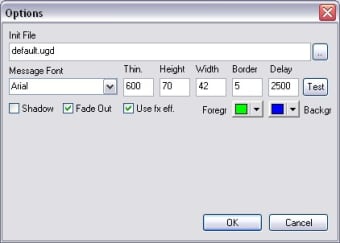
Unfortunately the program only supports the AverMedia controller at present, but it's pretty straightforward to configure via a step-by-step wizard.

Using the controller itself takes a little getting used to though, and it's far more complicated than working a television. If you have the persistence however, you can train yourself to navigate your computer in a whole new way, making it particularly useful if you have a large screen and use your PC as your home entertainment centre.


  • Pros

    • Easy to configure
    • Provides an interesting way to control your PC
  • Cons

    • Only compatible with AverMedia devices
    • Takes a lot of practice!
 0/3

App specs

  • Developer

    • Nanocodesoft
  • License

    Trial version

  • Version

    1.05

  • Latest update

  • Platform

    Windows

  • OS

    Windows ME

  • Language

    English

    Available languages

    • English
    • Russian
    • Chinese
  • Downloads

    1.1K

    Last month's downloads

    • 5
  • Size

    1.00 MB

Program available in other languages


Icon of program: InfraRedEye

InfraRedEye for PC

  • Trial version
  • 1.2
    3
  • 1.1K
  • V1.05
Download for PC

View an ad to download for free


User reviews about InfraRedEye

Have you tried InfraRedEye? Be the first to leave your opinion!

Add review

You may also like

Alternatives to InfraRedEye

Explore Apps

Latest articles

Laws concerning the use of this software vary from country to country. We do not encourage or condone the use of this program if it is in violation of these laws.
Softonic

Is InfraRedEye safe?

Score result: Clean

This file passed a comprehensive security scan using VirusTotal technology. It is safe to download.

  • Virus free
  • Spyware free
  • Malware free
  • Verified by Security Partners

    VirusTotal logo

Scan Info

Last scan
Wednesday, December 2, 2020
Scan provider
VirusTotal

Softonic security commitment

InfraRedEye has been thoroughly scanned by our advanced security systems and verified by industry-leading partners. This file comes from the official developer and has passed all our security checks, showing no signs of viruses, malware, or spyware. For more information, visit our Security and Trust Center

Signed in to Softonic as